Factory Editor
- My Role
- Design Lead / UX Strategy / UI Design / Interaction Design / Design Audit
- Period
- Jan 2023 - Mar 2023
- Tools
- Figma / Photoshop / Unity3D
- Company

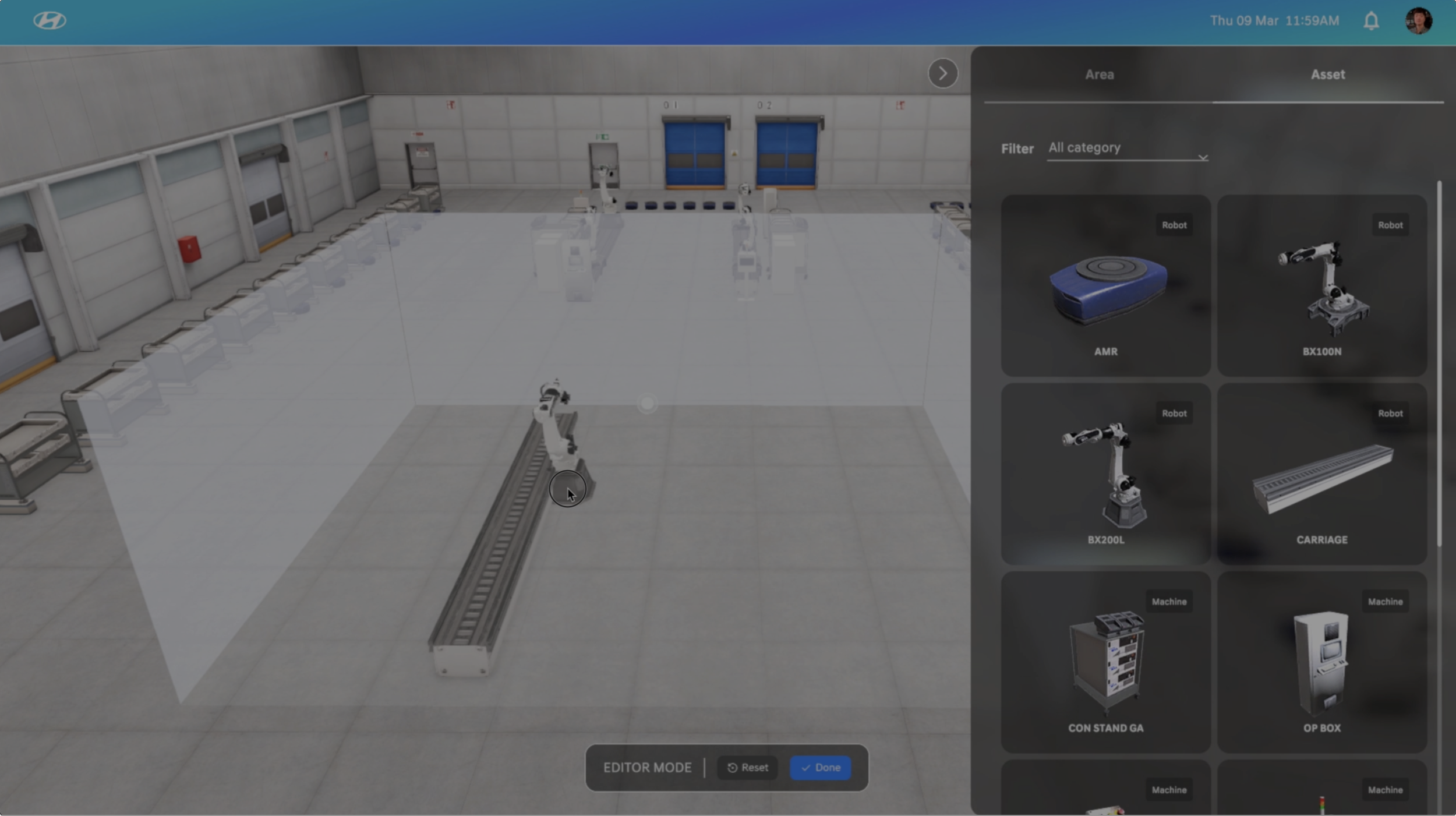
Background
This project aims to enhance the digital twin factory by introducing editing features, enabling modifications to the factory layout, placement of 3D assets (such as adding or removing AMRs/industrial robots), and the integration of real factory signals for monitoring.
Needs & Pain-points
Currently, there are systems that can monitor facilities in Hyundai Motor, but if the layout of the facilities changes, maintenance difficulty requires hiring a developer to modify and develop the system. In addition, the addition or modification of signals that operators need to monitor at each facility also makes it an inconvenience as required for development personnel. The Operation maintenance team monitors the information provided by these systems through PCs and situation boards, and when the alarm rings, they are dispatched to the site, but the acquired information they monitor is not intuitive and insufficient.
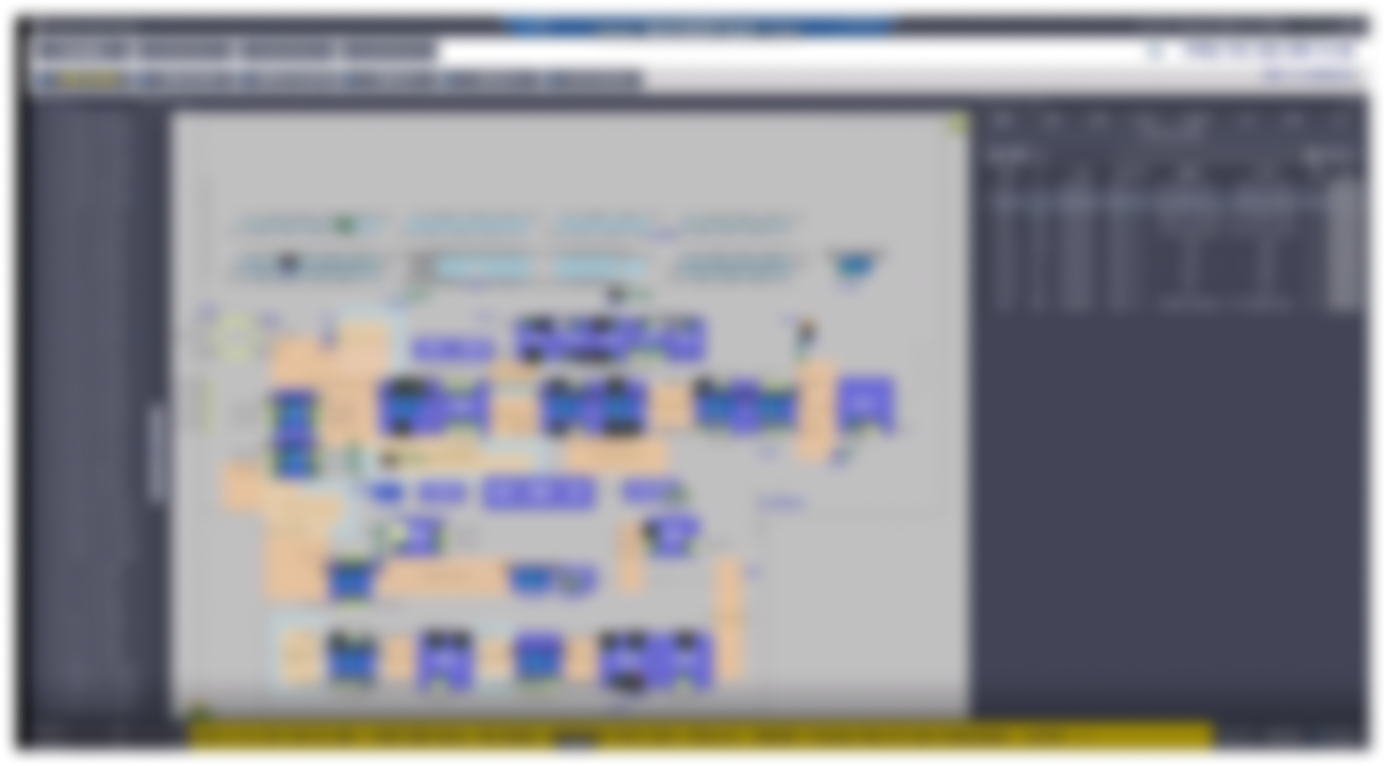
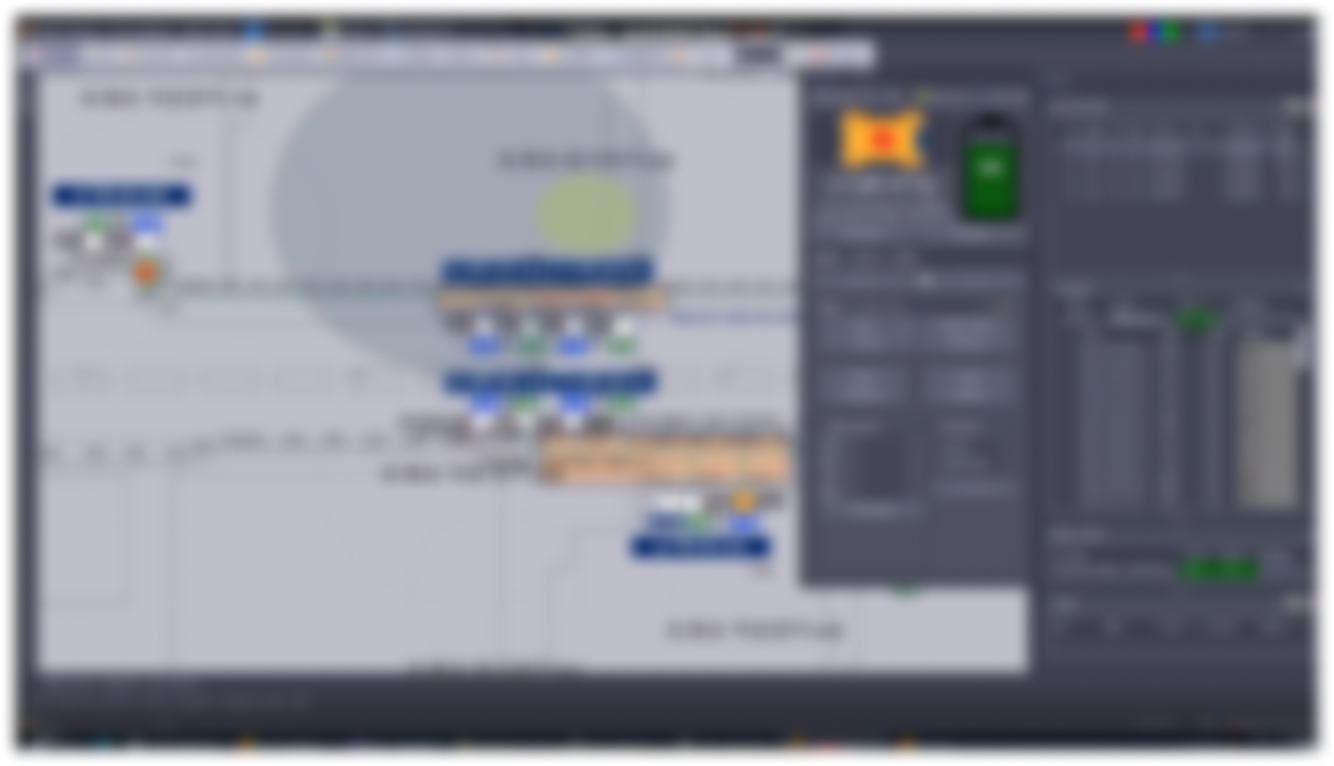
Software in use at Hyundai Motors (Blurred for confidentiality reasons)
UX Development
1 Q&A sessions
Conducting Q&A sessions with the client to ensure a crystal-clear understanding of their requirements
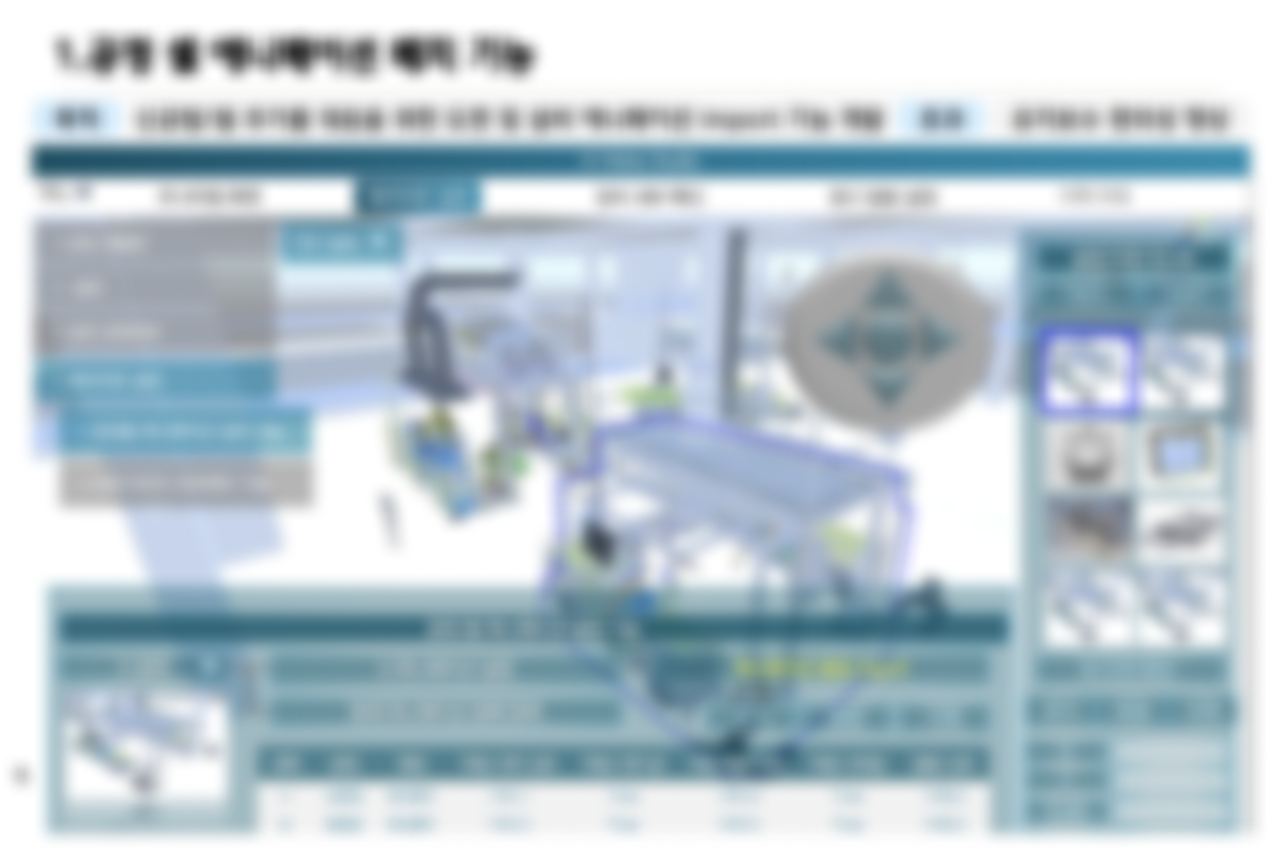
Requirement Document (Blurred for confidentiality reasons)
2 Define UX direction through interviewing with the client
What is this product?
Factory Editor allows easy editing of a factory in digital twin to match the factory's facility changes. From this solution, an edited virtual factory collects and analyzes actual factory data and utilizes it to provide emergency response functions for operation safety.
What is the goal?
The complexity of the operation has increased as the assembly process has changed from a straight conveyor production method to a module production method. Despite these changes, the goal is to help the factory's employees quickly understand the manufacturing situation and resolve problems in operations rapidly.
Who is the target?
The Operation maintenance team is the main user of this solution. They are operators who manage the entire facility of a factory. They are responsible for monitoring the operating station's situation in the monitoring room of the team or going to each facility site to manage it. When a problem occurs, they are dispatched to the site to resolve the issue so that the operation can be restarted quickly.
As-is experience?
Currently, there are systems that can monitor facilities in Hyundai Motor, but if the layout of the facilities changes, maintenance difficulty requires hiring a developer to modify and develop the system. In addition, the addition or modification of signals that operators need to monitor at each facility also makes it an inconvenience as required for development personnel. The Operation maintenance team monitors the information provided by these systems through PCs and situation boards, and when the alarm rings, they are dispatched to the site, but the acquired information they monitor is not intuitive and insufficient.
UX Direction
The Factory Editor provides the flexibility to modify the changed facilities in the solution, even as the factory facilities keep changing. It is possible to prevent problem situations and provide early alarms by connecting and collecting actual factory data. As a result, Hyundai Motor can minimize the downtime cost of facility operation by getting comprehensive information to respond to problems.
3 Prioritization - Requirement waterline
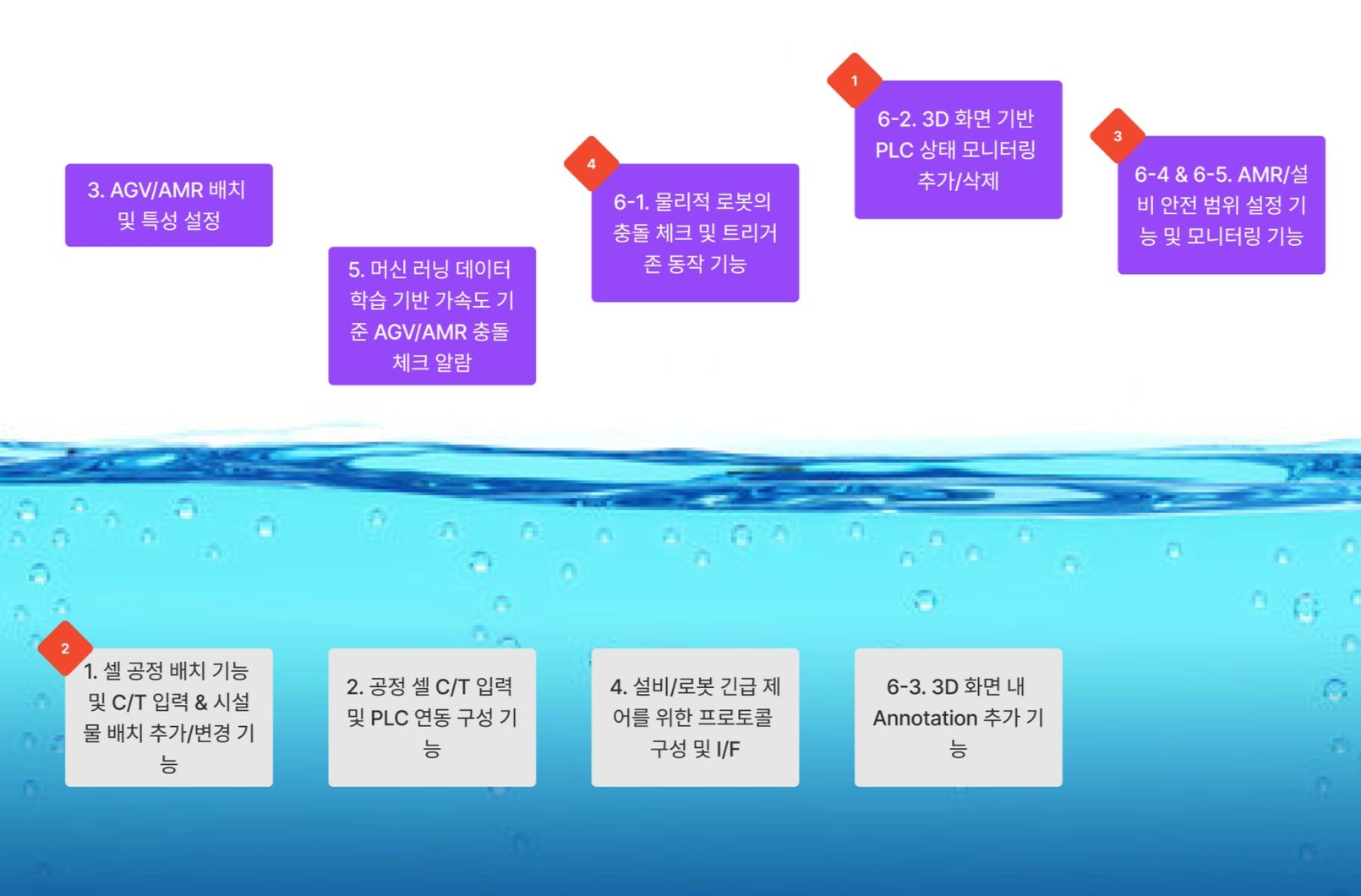
.png)
4 Define feature details
5 Define happy path
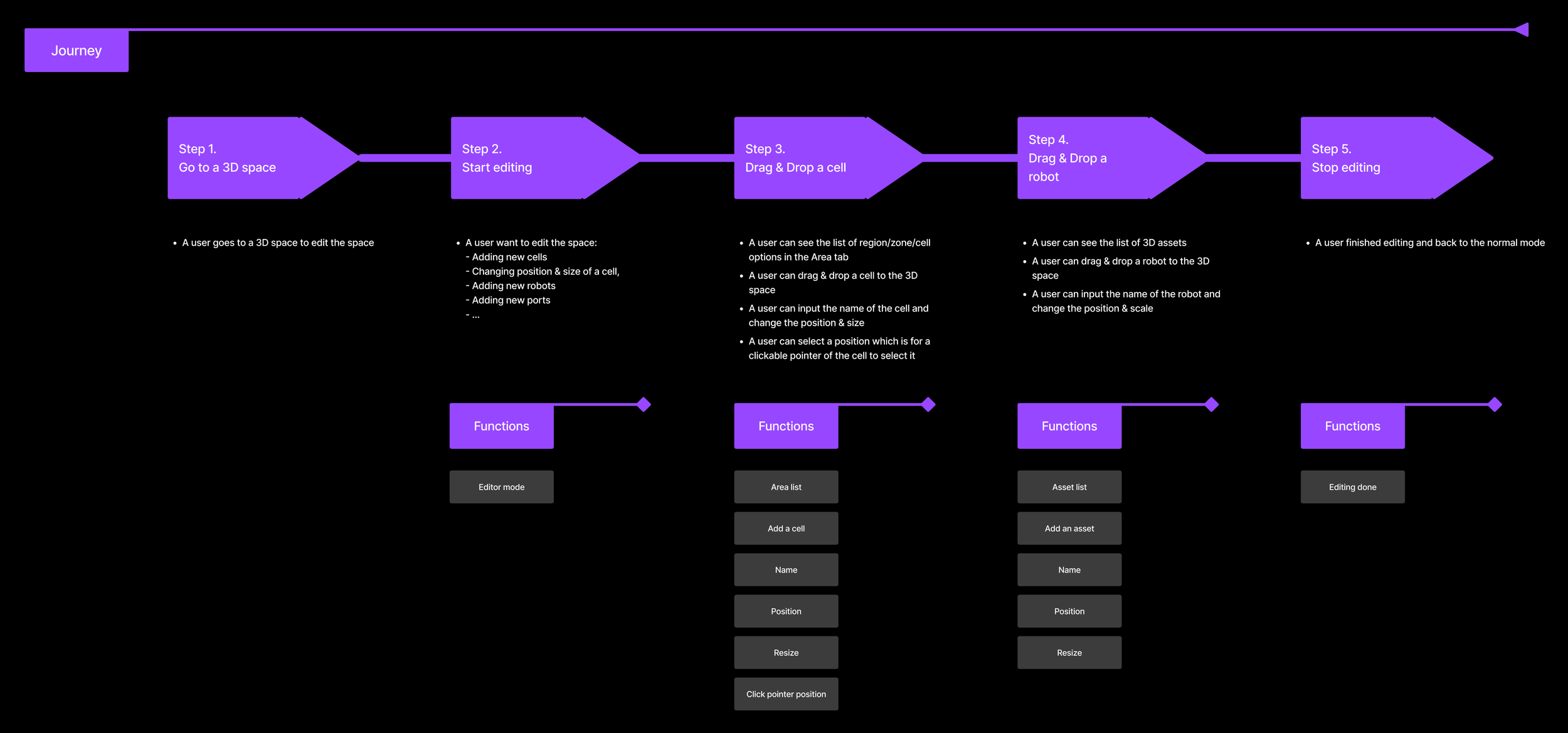
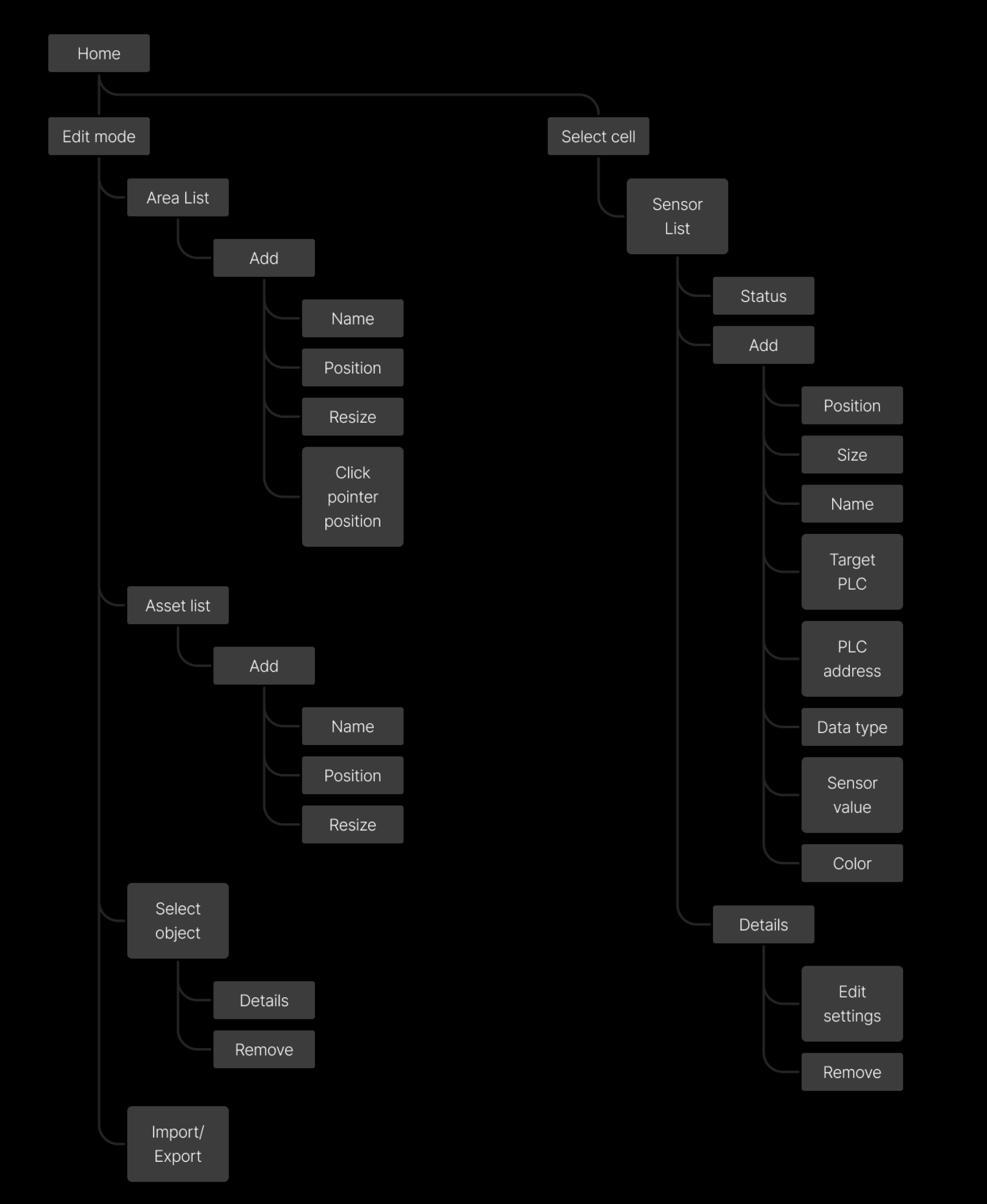
6 Information architecture
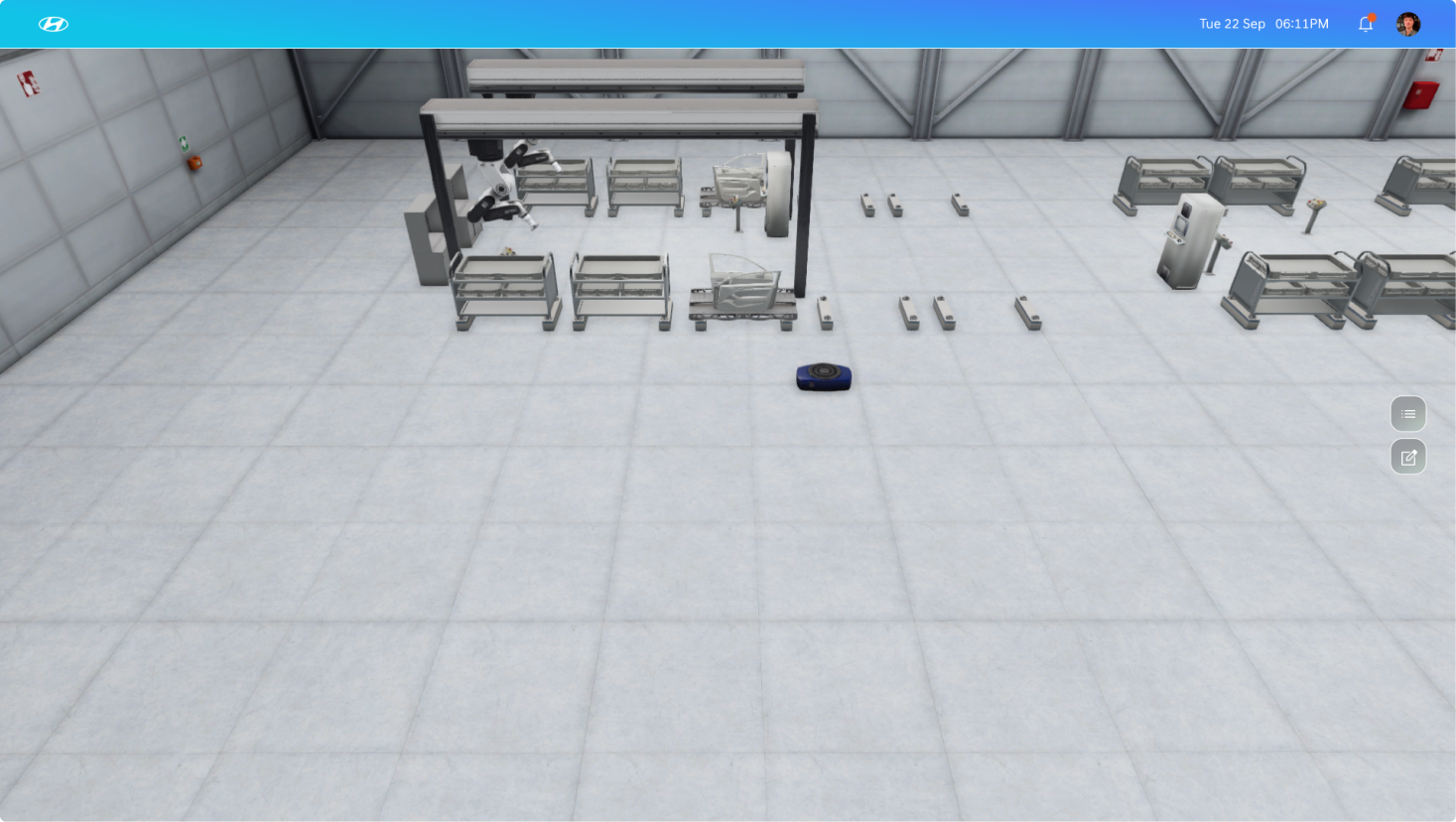
High-Fidelity UI Design
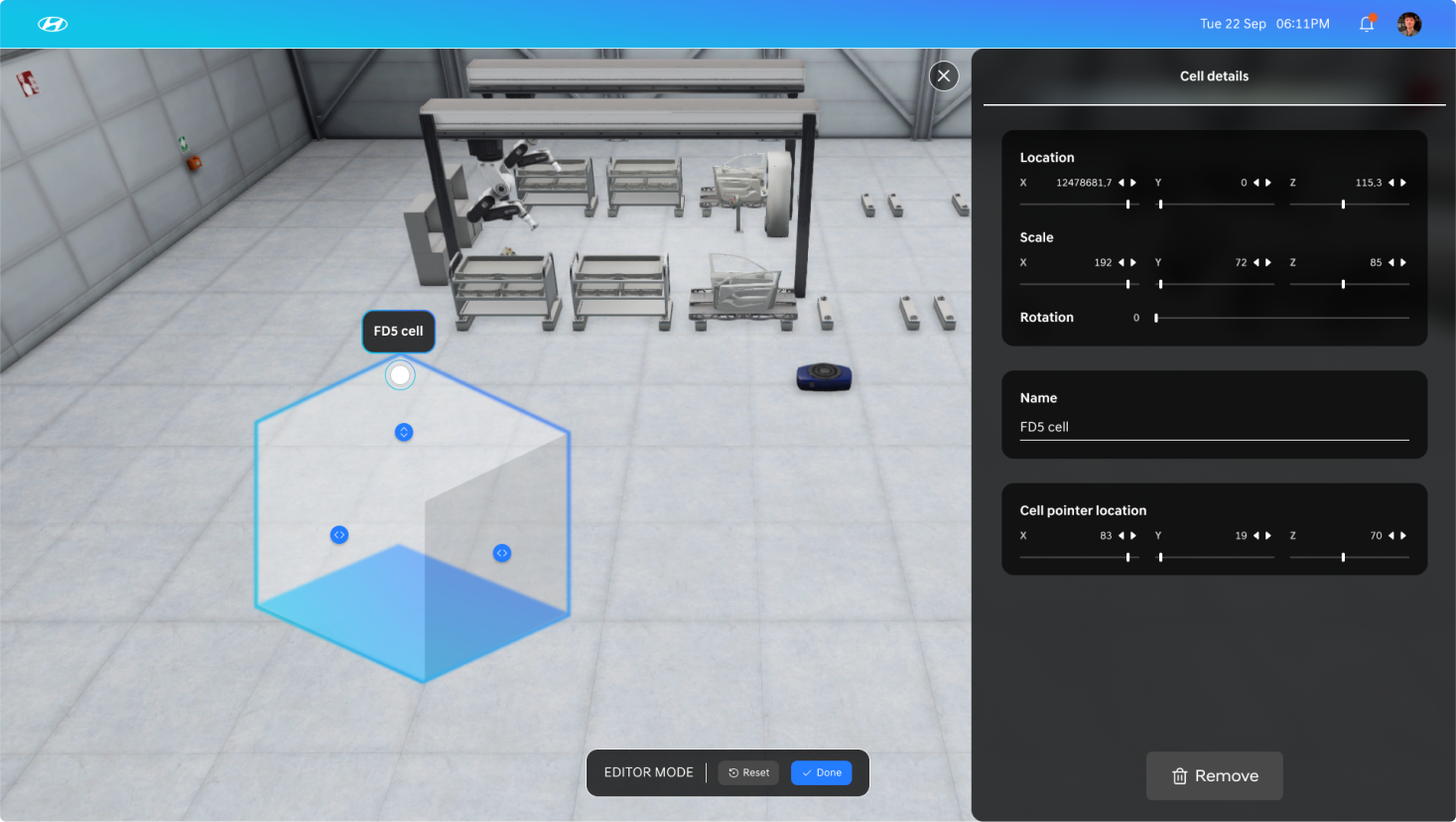
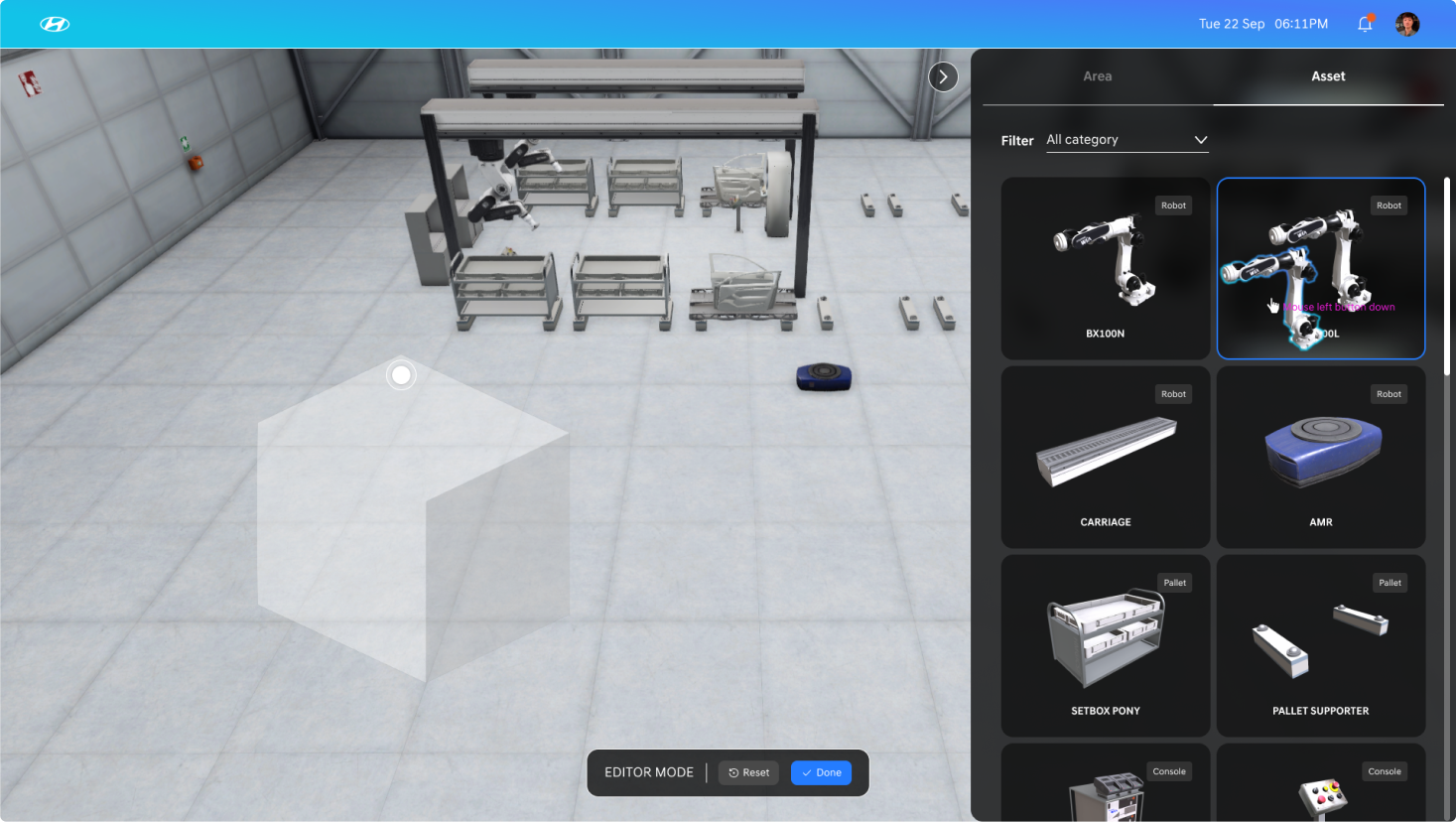
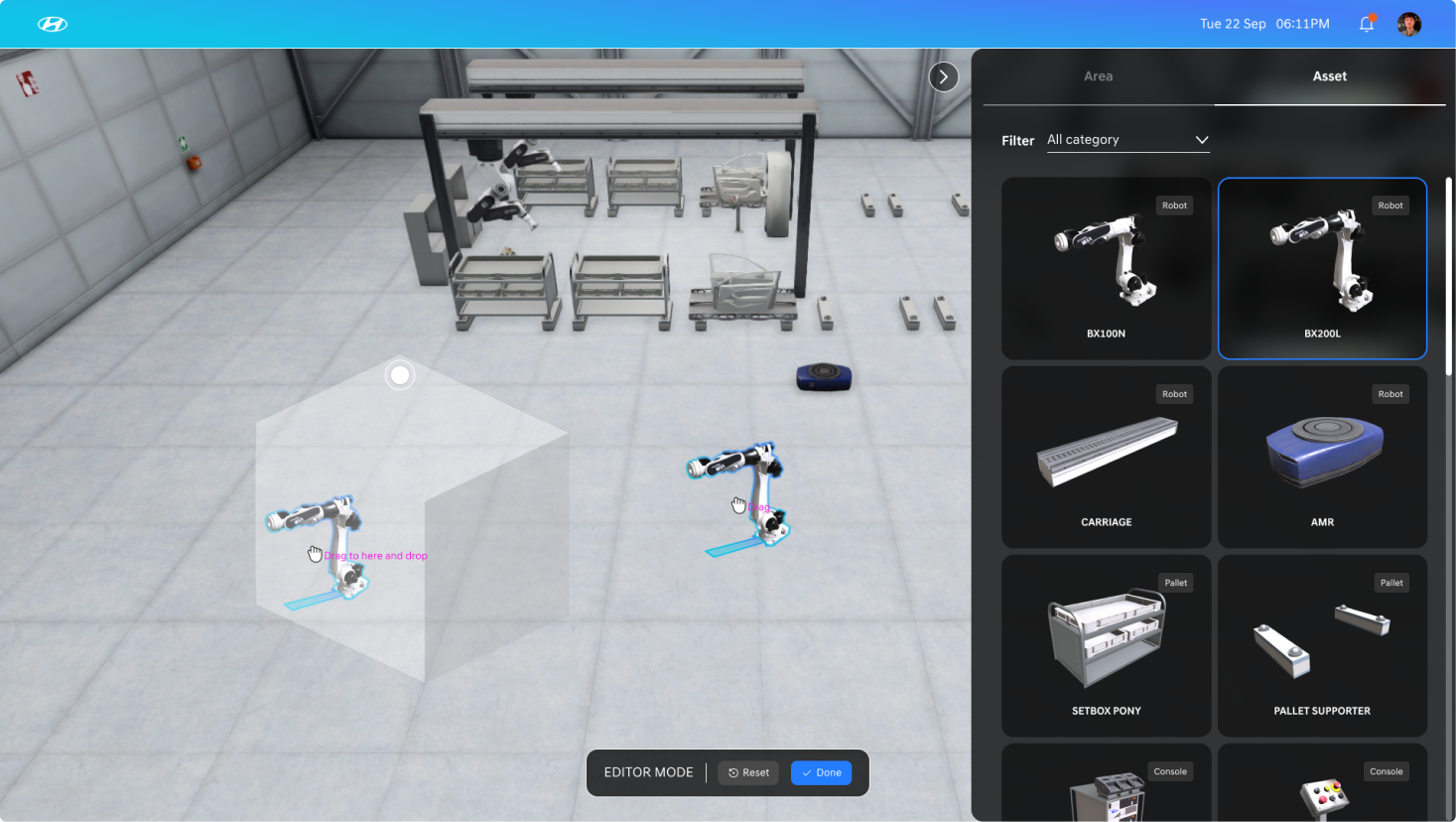
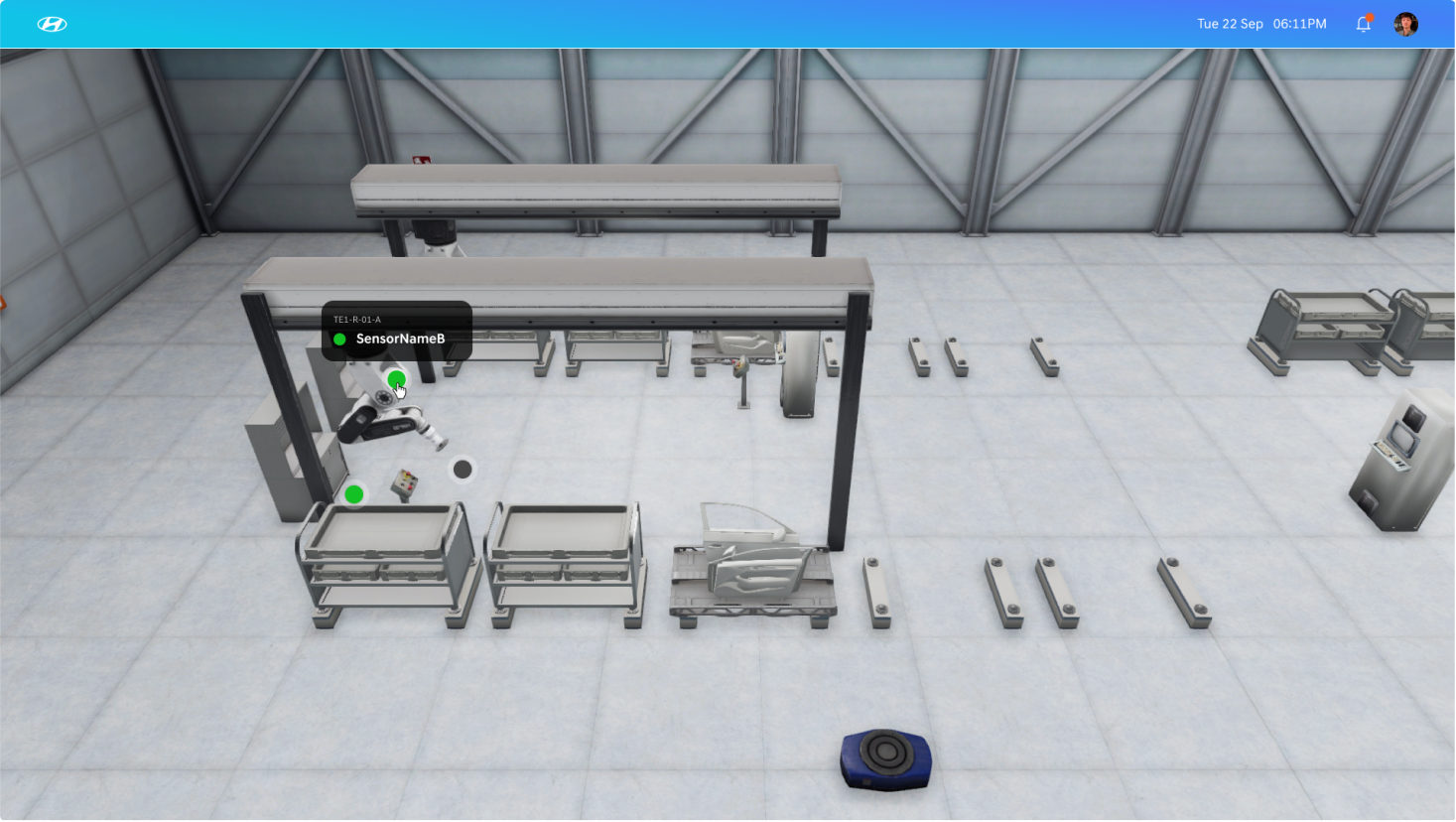
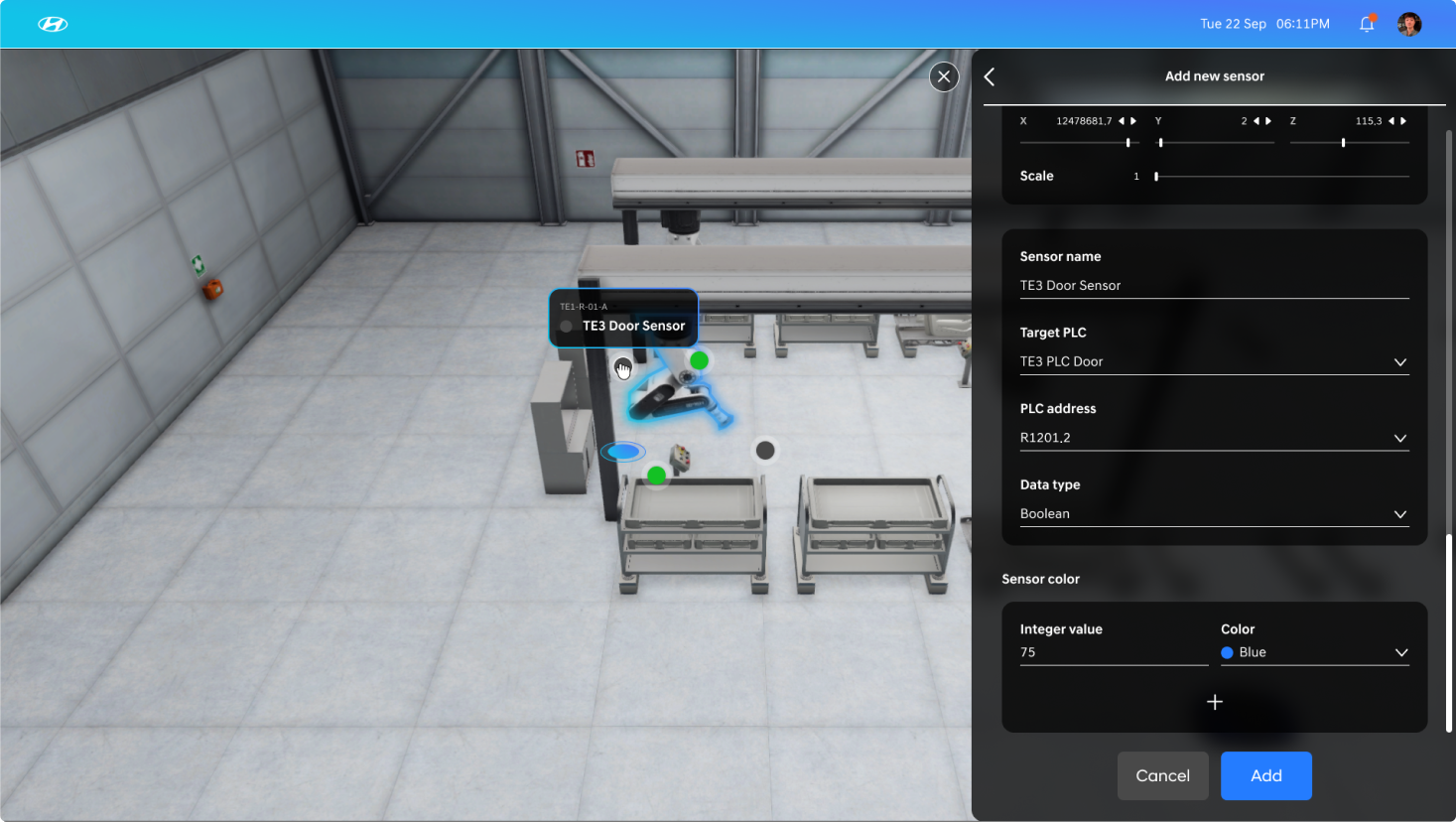
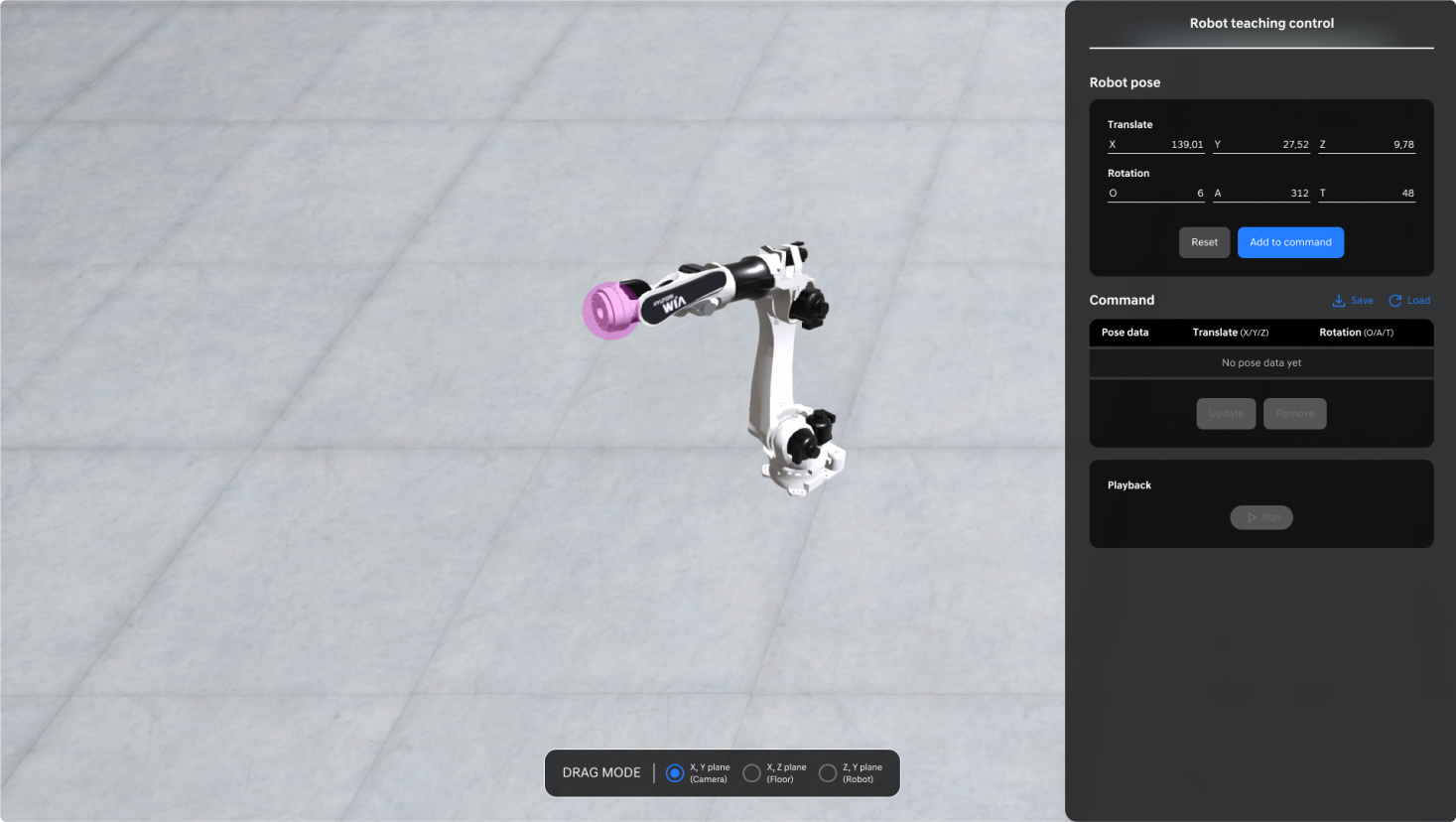
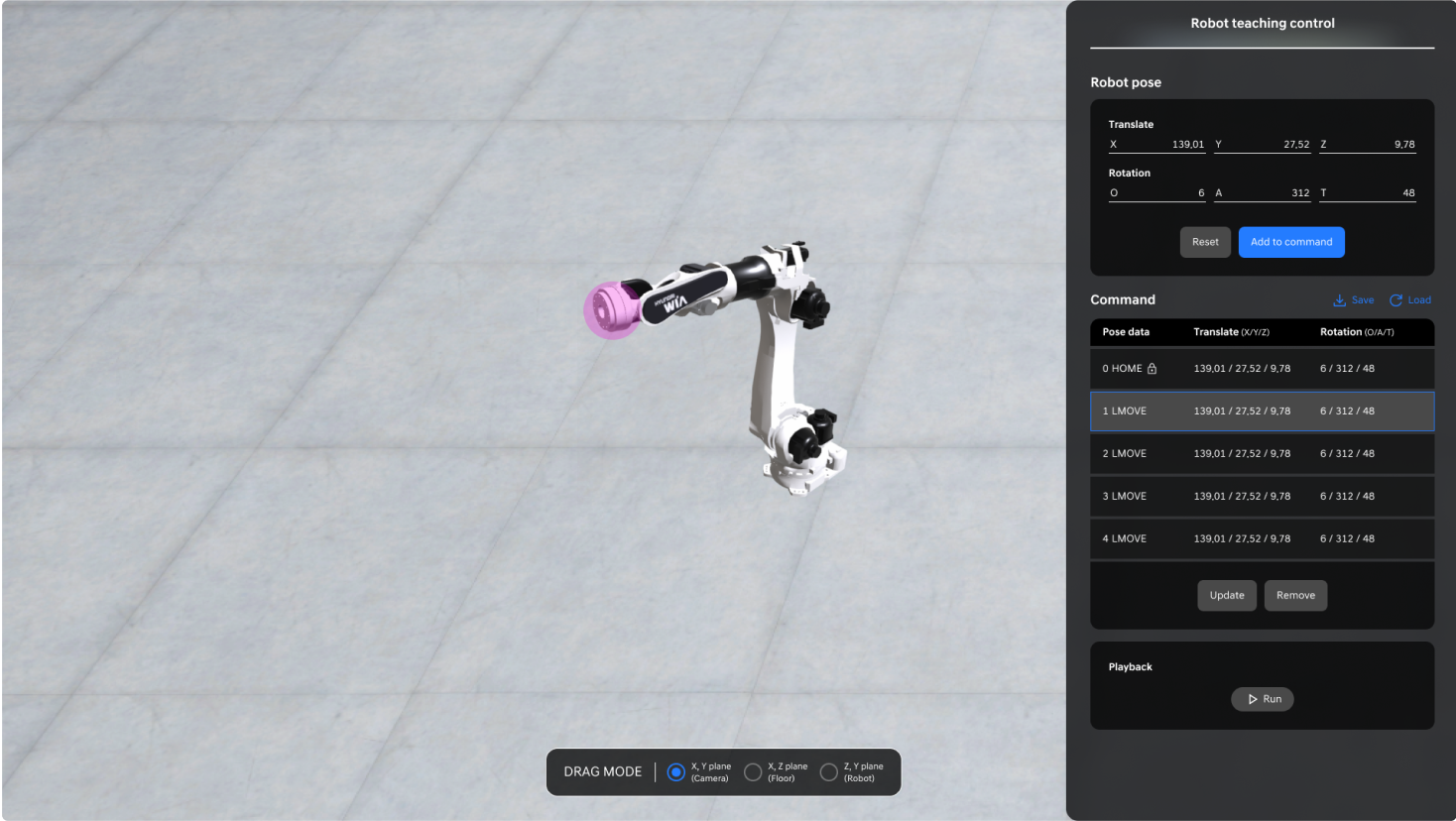
Documenting Design Guidelines
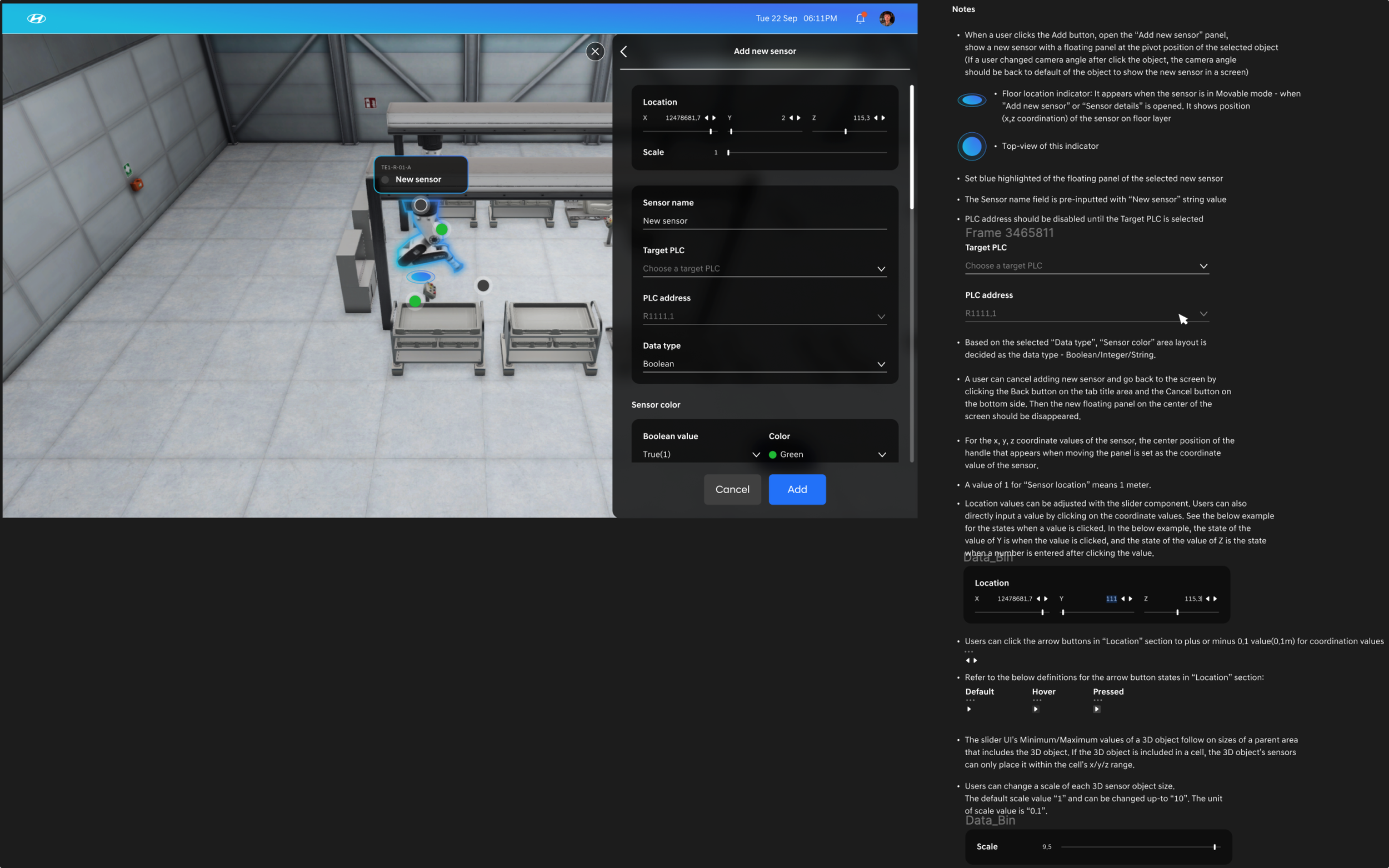
Challenges
Project PerspectiveBecause the client's product ideas were quite vague, it wasn't easy to translate them into a concrete digital product experience for the target users. As the sole product designer responsible for the product's details, I had to lead the developers and ensure the product's quality.
UX PerspectiveFrom a UX perspective, I had to consider the following challenges when designing the UI:
1) Editing the 3D assets (assembly operation facilities) of the factory
2) Fine-tuning UI for 3D space objects
3) Enabling easy monitoring of information generated in the real factory on the screen
4) Providing awareness of an object's position when moving it in 3D space.
Design Solutions
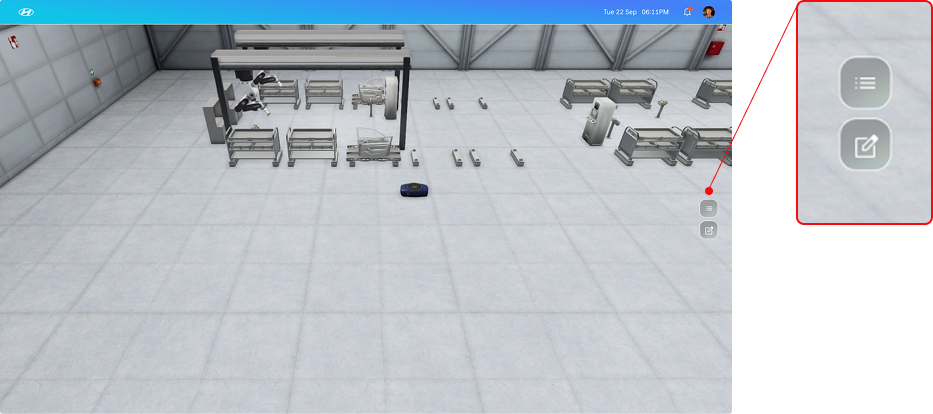
1 Placing 3D assets in the Editor mode while providing editor menus
Editor Mode Button
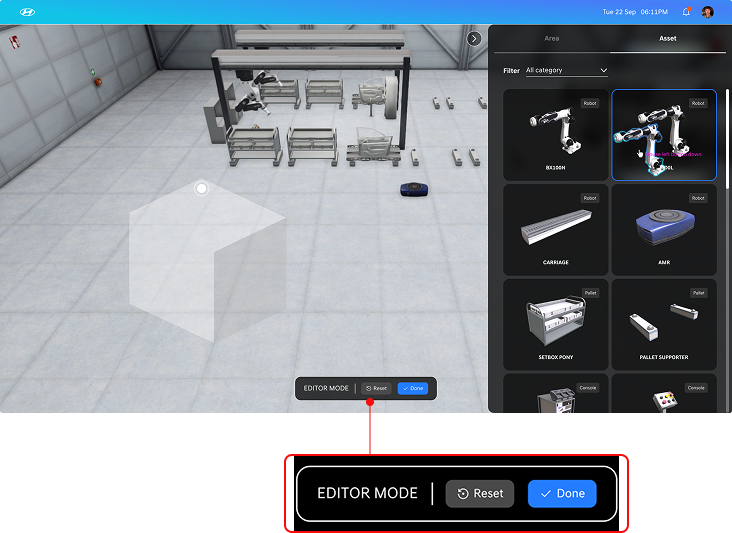
Editor Mode Controller
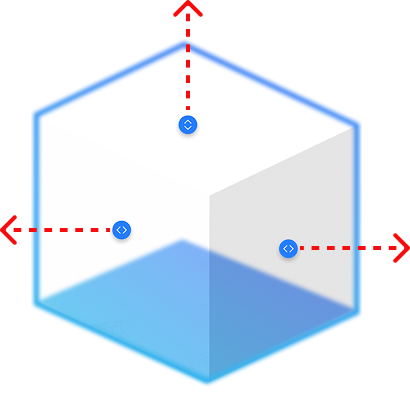
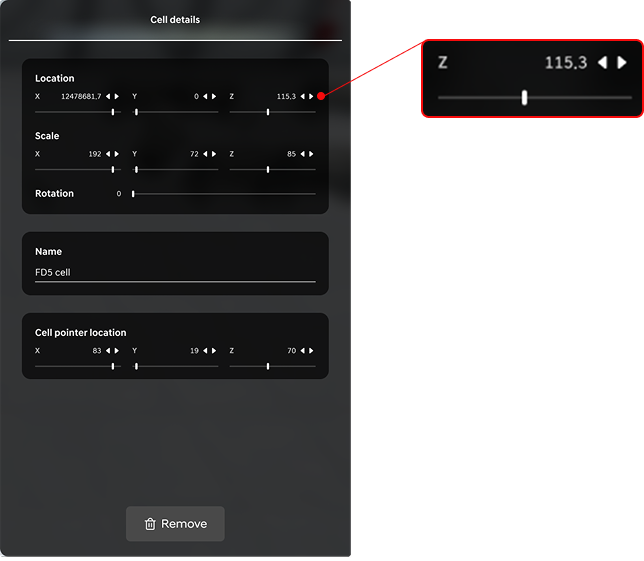
2 Intuitively resize 3D objects using size handles, with a panel for precise adjustments
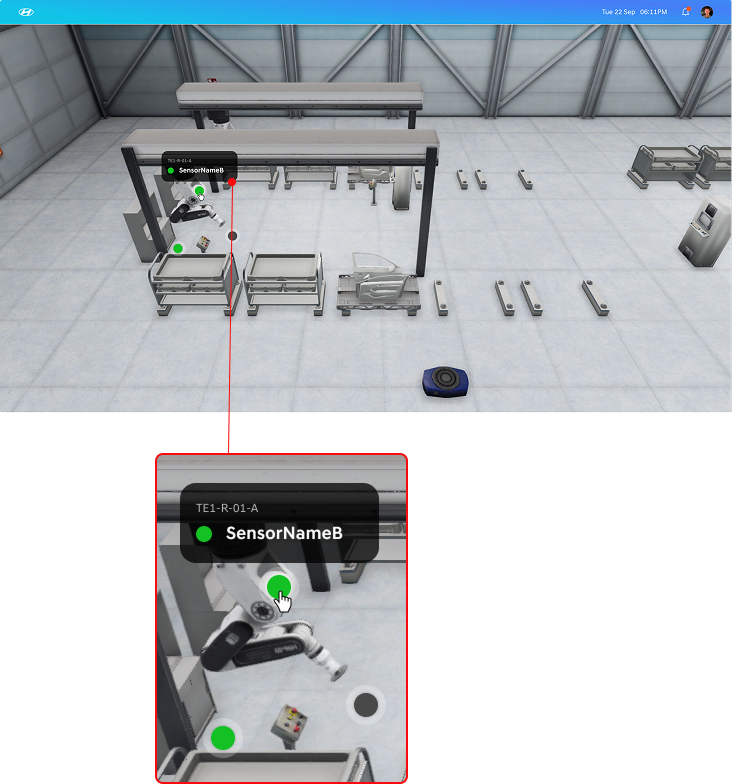
3 Floating color indicators to display quick information of the factory signals
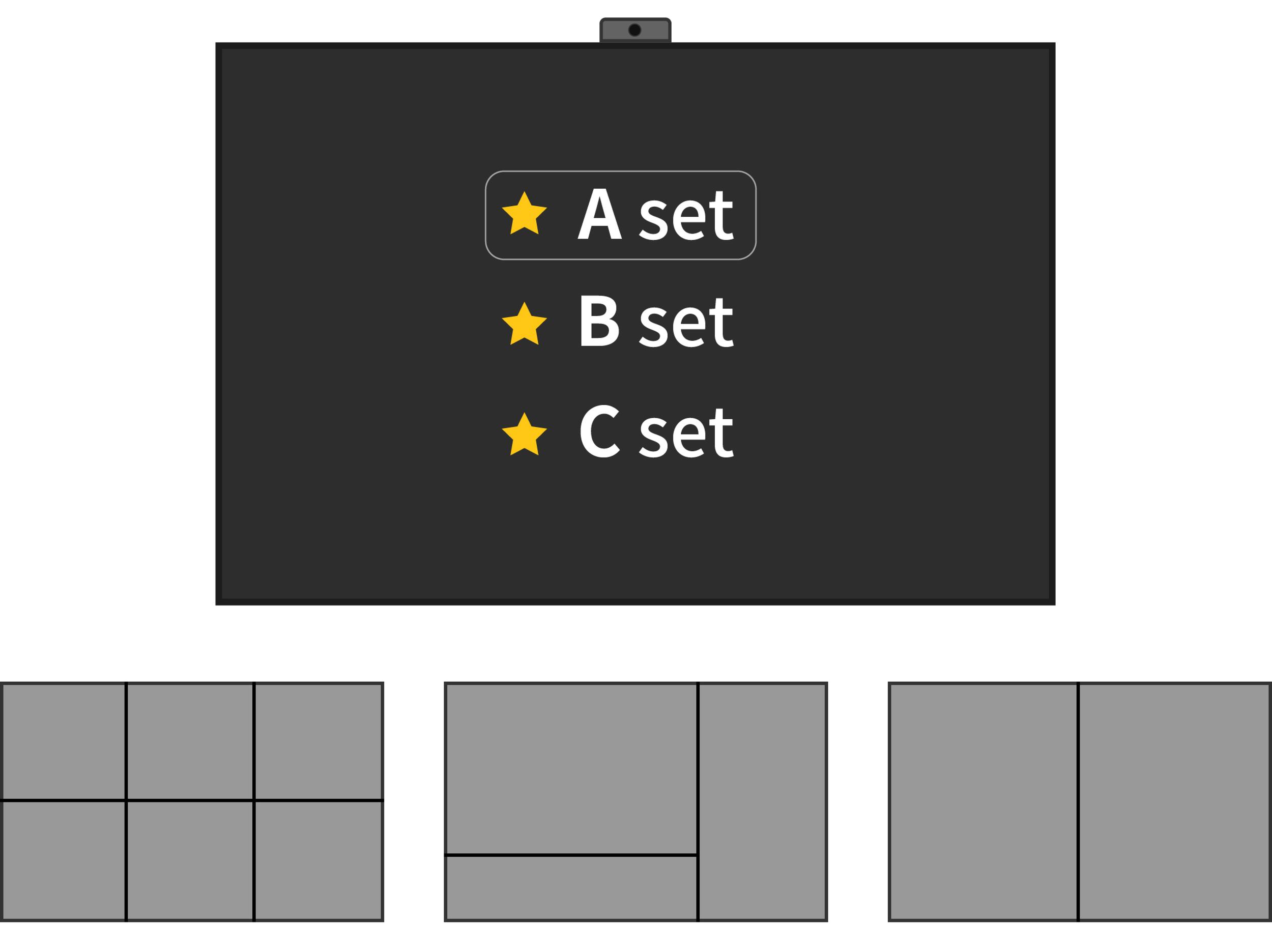
4 Intuitive position indicator for moving objects in a 3D world

3D World Position Indicator
Implementation
Takeaways
During this project, I had the opportunity to oversee the entire design process as the sole designer. I took on the responsibility of designing, defining most aspects, and making critical decisions, leading the project to the successful creation of a tangible application within just two months. Furthermore, I learned how to collaborate more effectively among designers and developers while developing applications using Unity 3D.
ImpactFrom a project perspective, the client was very pleased with the results, and this led to Unity securing a new project contract with Hyundai Motors.